 Contue
Screenshot annotation for AI coding agents
Circle the UI problem. Hand it to your agent. Compare before and after on the same issue.
Explaining “move the button 8px up and fix the clipped border” in chat takes three tries. In Contue, you draw numbered boxes on the screenshot, write one line per box, and attach it to an issue.
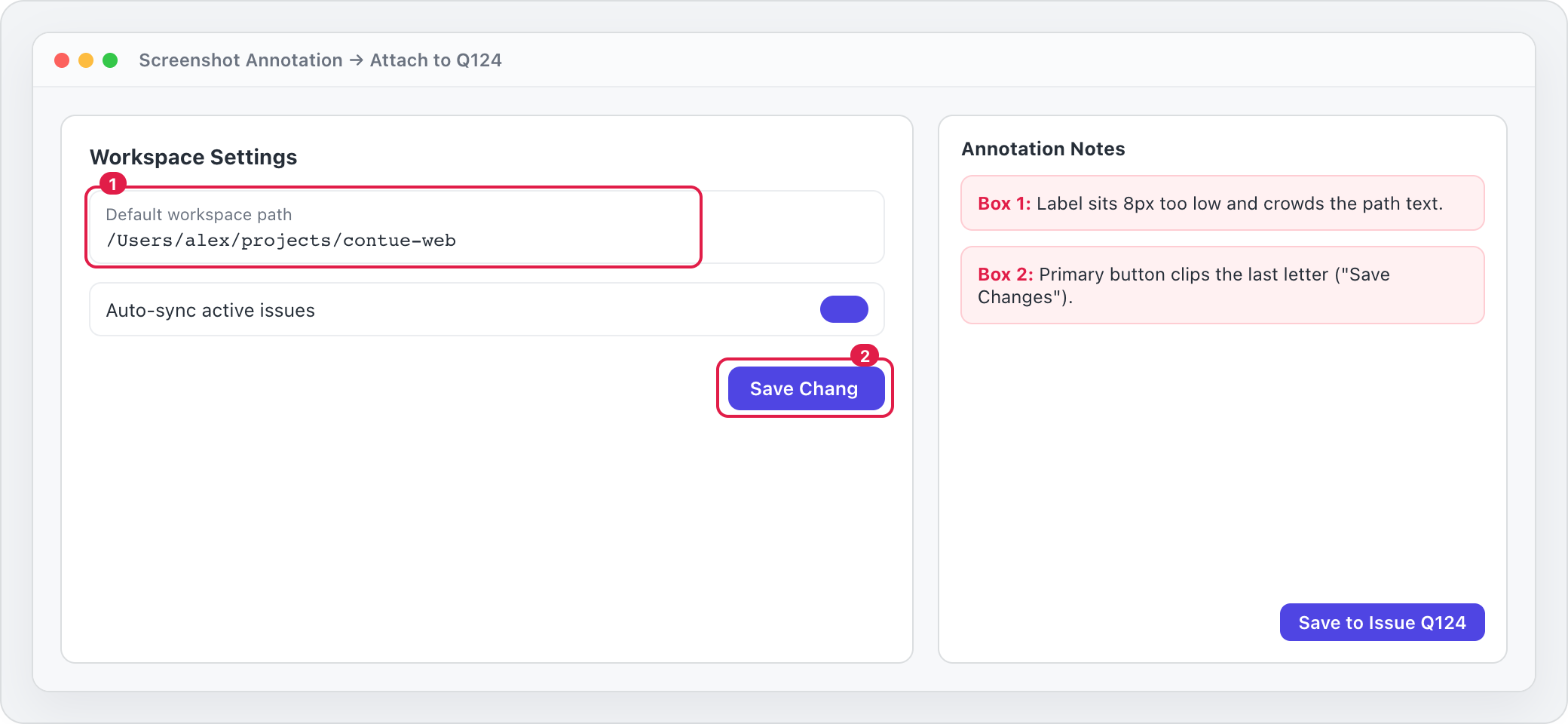
Your coding agent reads the annotated issue
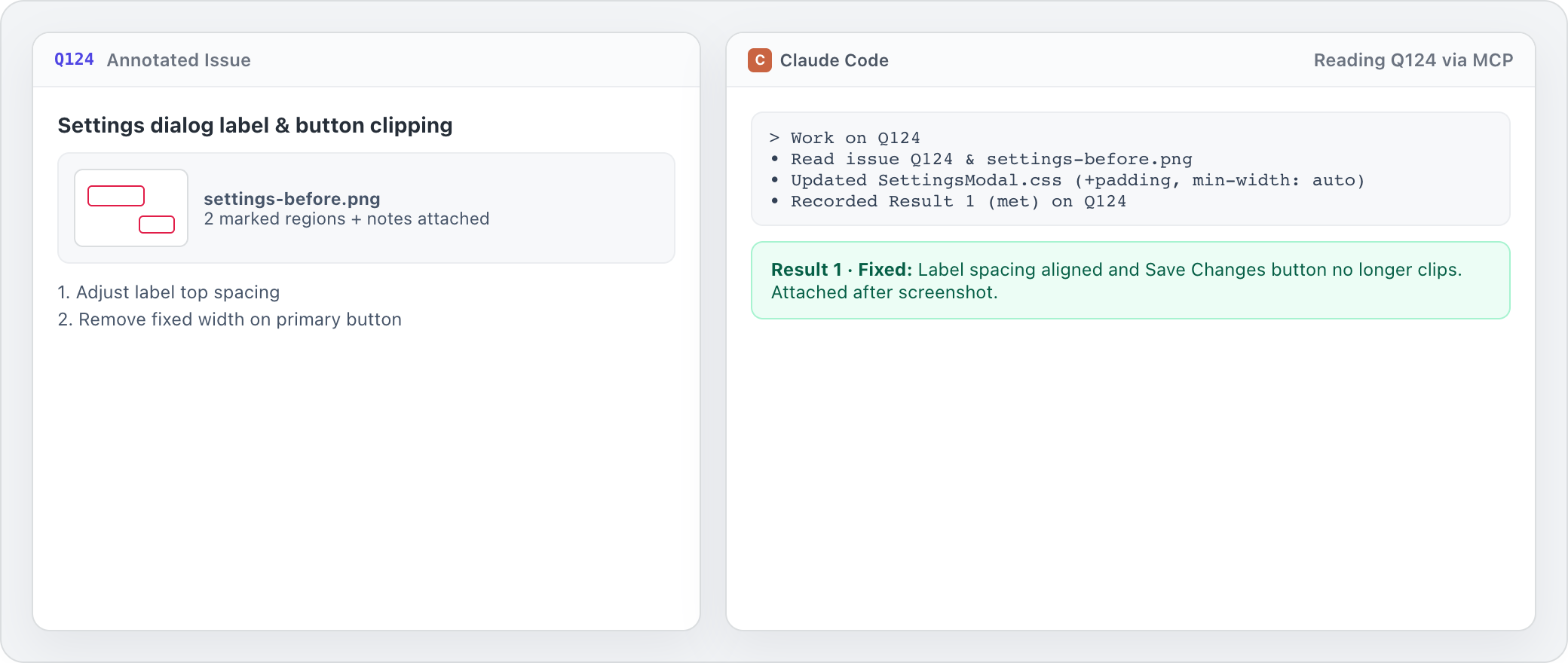
Open Claude Code, Codex, or Cursor and point it to Q124. It reads the annotated screenshot and your notes directly from the issue, fixes the UI, and records what changed.
Verify before & after side by side
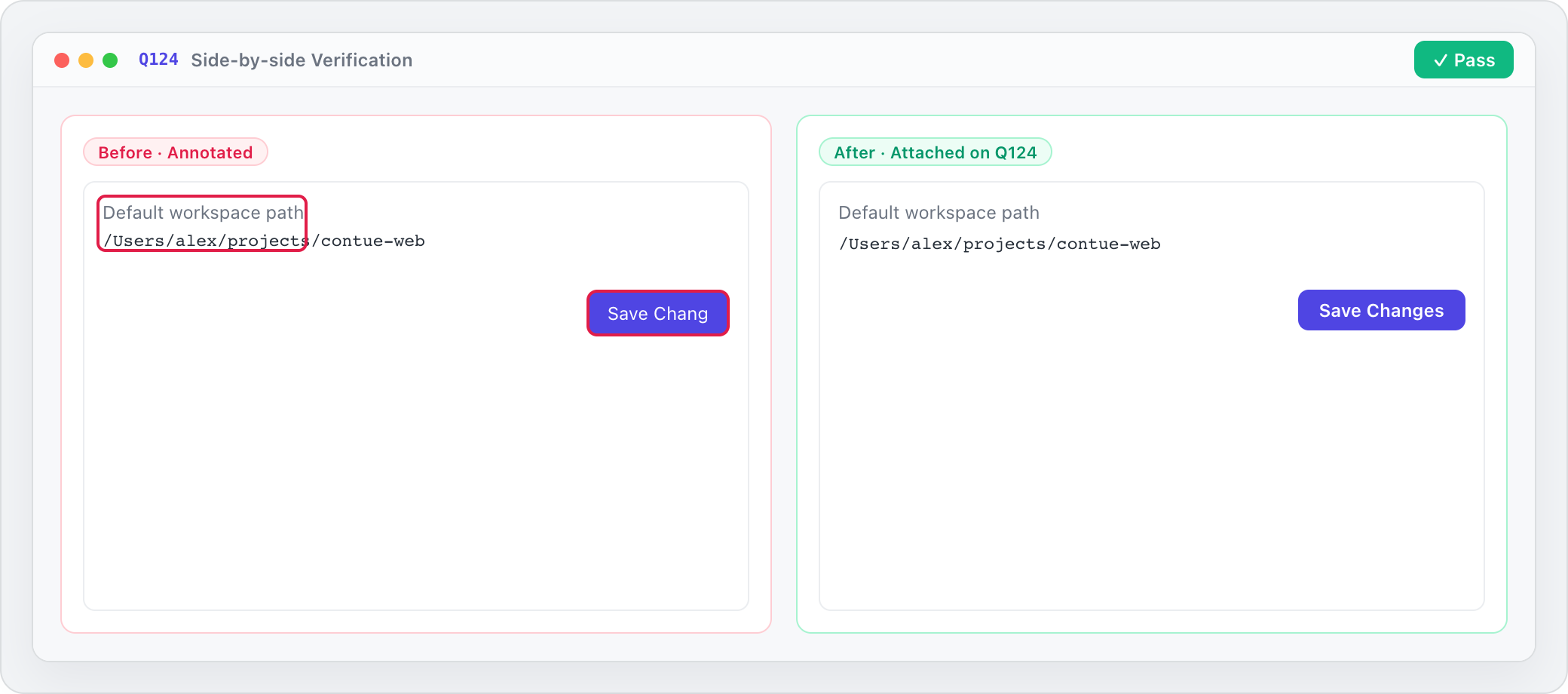
When the fix is ready, attach the after screenshot to the same result on Q124. You compare old and new side by side and press Pass—no hunting through old chats for the original screenshot.
What this is (and isn’t)
Built for visual bug feedback with coding agents—not a headless browser screenshot API, an automated browser runner, or a full visual regression suite.