 Contue
Claude Code、Codex 与 Cursor 共用同一张卡
做到一半换 Agent,不用从头再来。
每个 AI 编程工具只记得自己的对话记录。在 Claude Code 里定完方案、去 Codex 里写代码、再到 Cursor 里复核,你得把同一段背景复制粘贴三遍。在 Contue 里,进度落在卡上,不锁在任何单一工具的对话里。
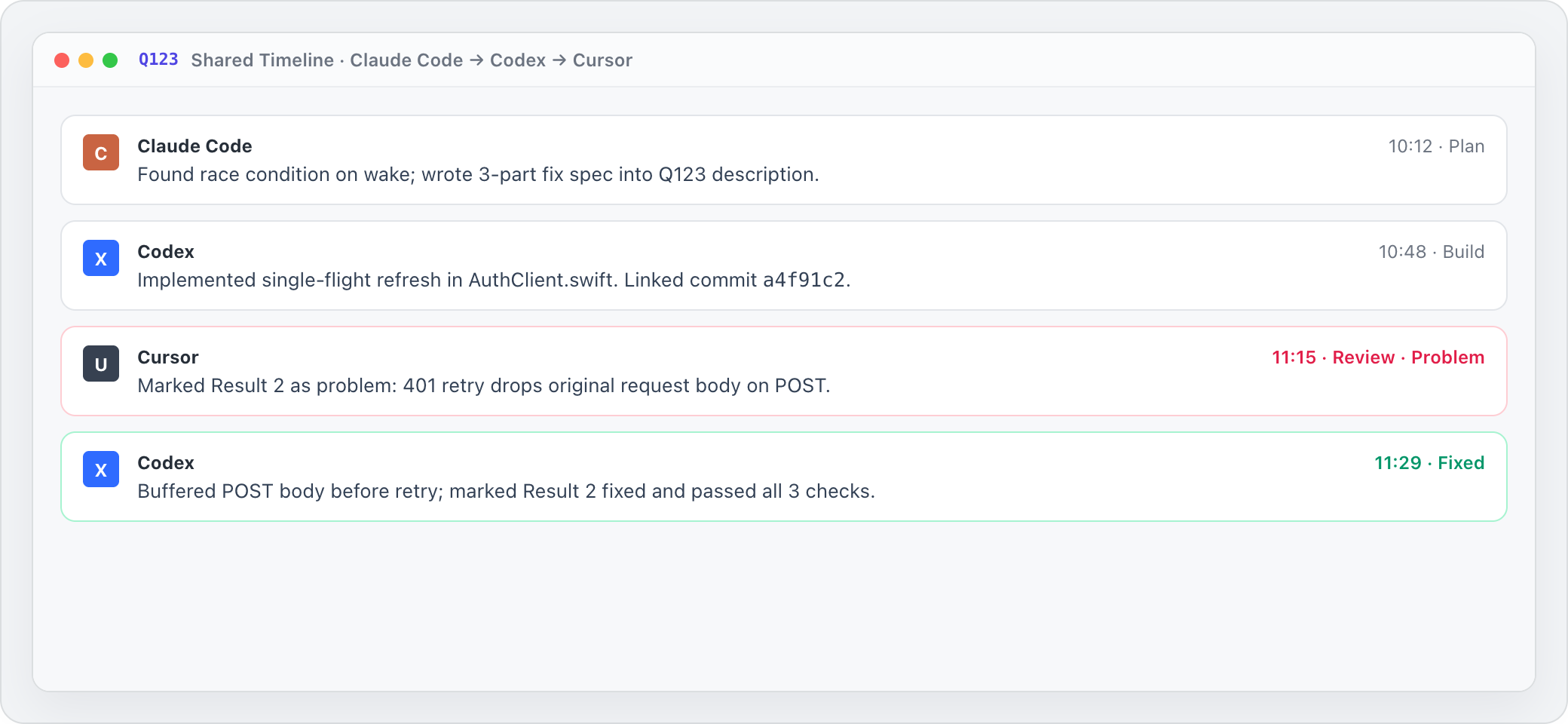
每个 Agent 的每一步都留署名
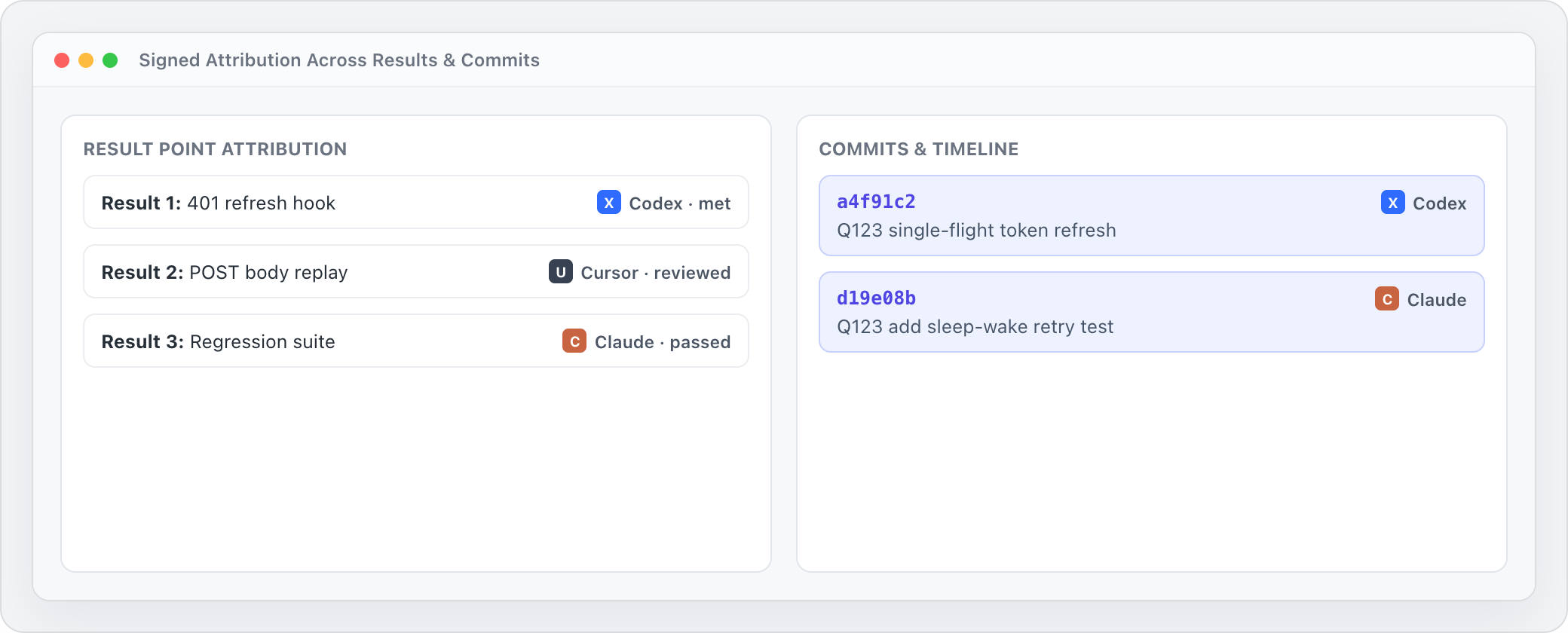
三个工具轮流经手同一件事,你依然一眼看清谁做了什么:Claude 改了需求描述,Codex 登记了提交,Cursor 把第 2 项结果标成了 problem。
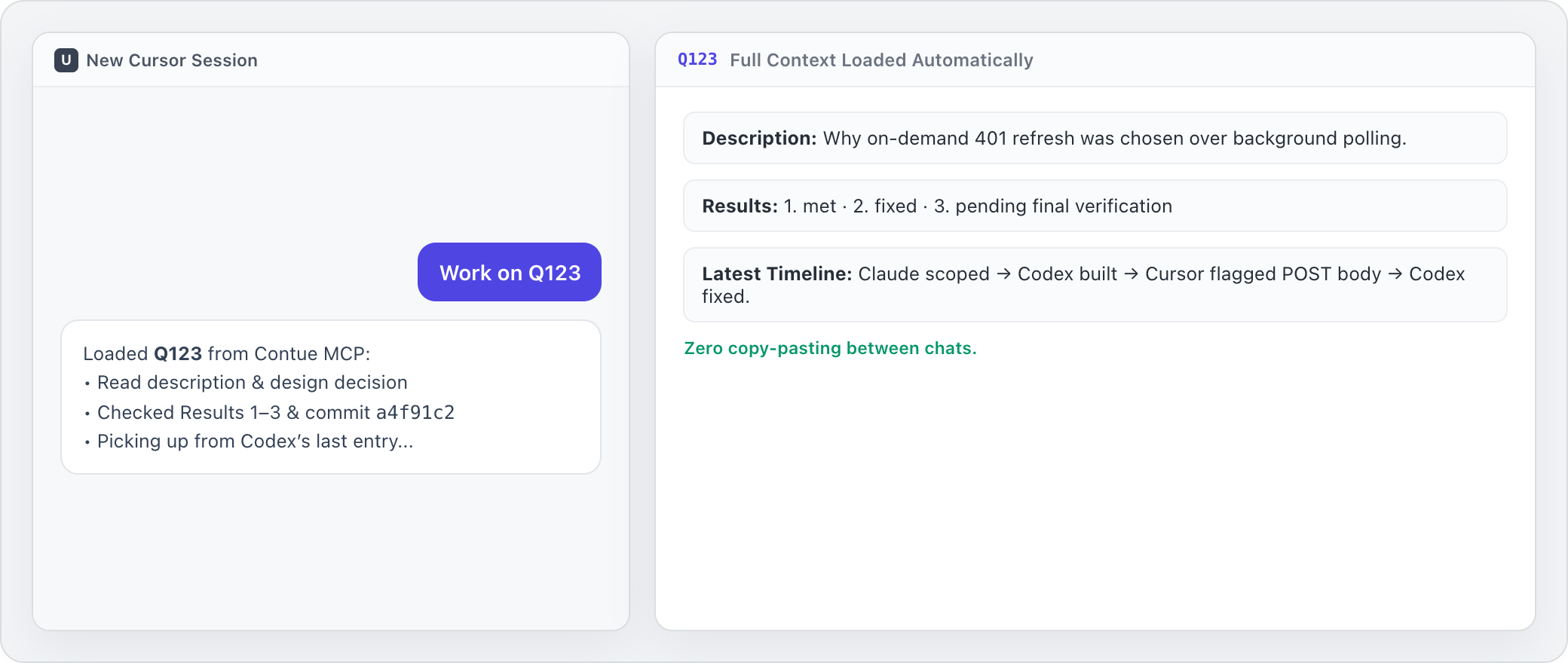
从上一个 Agent 停下的地方接着干
在另一个工具里开个新对话,只要说一句“接着做 Q123”。它会自己读取卡的描述、逐项结果以及前面为什么这么定——不需要手搓长提示词。
支持本机 MCP 与远程 MCP
Mac 上的本机 Agent 通过内置本地 MCP 一键接入;开启云同步后,云端 Agent 与网页对话端可接入 https://getcontue.com/mcp。